Pros and Cons of Canva – Complete Guide for Beginners-(Ayesha 2)
Published: 12 Nov 2025
With over 80 million active users, Canva has become a design powerhouse, empowering people of all skill levels to create stunning visuals. But with any design tool, there are both pros and cons to consider.
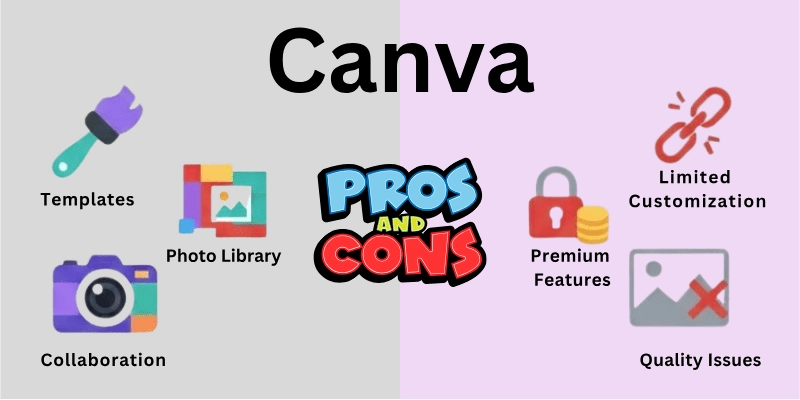
“Canva makes design simple and fun turning ideas into professional visuals, while knowing the limits helps you create smarter and better.”Ayesha
In this article, we’ll explore the pros and cons of Canva, helping you decide whether it’s the right fit for your design needs.
Advantages of Canva
Canva comes up with a vast range of benefits for users, and these features make it the best app among all the other design tools.
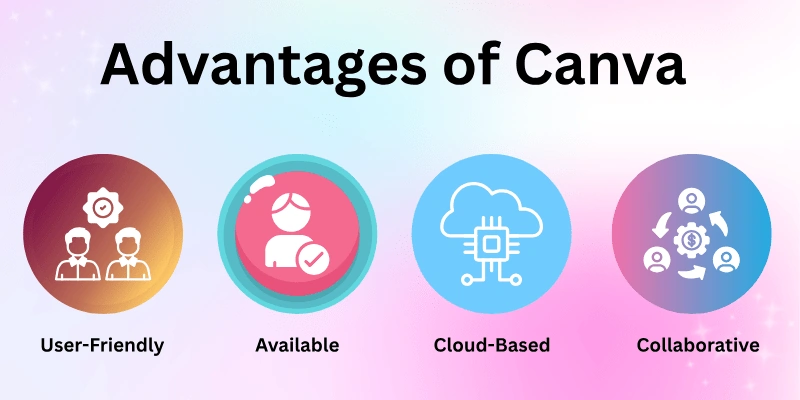
| Advantages of Canva |
|---|
|
So, here are the 10+ main Canva advantages.
|
Let’s cover all the benefits of Canva in detail.
 Subscribe to my YouTube channel
1. User-friendly Interface
Canva is very easy to use for everyone. The dashboard is simple and clean, so users do not get confused. You can drag and drop text, images, and shapes easily. No special design skills are needed to create something good. Menus and tools are clearly organized, which makes finding options simple. Beginners can learn Canva very quickly. Overall, Canva makes designing easy and enjoyable for all users.

2. Extensive Template Library
Canva has a huge collection of ready-made templates. You can find templates for social media posts, posters, presentations, and more. These templates save time because you do not need to start from scratch. They are designed professionally, so your work looks modern and attractive. You can easily change colors, text, and images to match your style. There are templates for almost every type of design. This makes Canva perfect for both personal and business projects.

3. Free Version Available
Canva offers a very useful free version. You can access many templates, fonts, and images without paying anything. It is ideal for students, beginners, and small businesses. Even with the free version, you can create professional-looking designs. Many people continue using it for a long time without upgrading. If you want extra features, you can switch to Canva Pro later. The free version provides great value for everyone.
4. Wide Range of Design Elements
Canva provides a large library of design elements like photos, icons, shapes, and illustrations. These elements help you create unique and attractive designs. Most of the elements are free, while some are premium for Canva Pro users. You can change their colors, sizes, and positions easily. This variety gives you freedom to be creative without searching elsewhere. You can combine different elements to make your designs stand out. Canva’s library saves time and effort for all users.


5. Cloud-based Storage
Canva stores all your designs in the cloud automatically. This means you do not need to worry about losing your work. You can access your projects from any computer or phone. Cloud storage also keeps your files organized and easy to manage. It is simple to share designs with others because everything is online. You do not need heavy software, as Canva works in the browser. Cloud storage makes designing flexible and safe.


6. Collaborative Features
Canva allows teams to work together on the same design. You can invite team members to edit or comment on projects. This is useful for companies, schools, or group projects. Collaboration reduces the need for long email chains. Everyone can see updates in real-time and give feedback inside the design. It makes teamwork faster and more organized. Canva makes group projects smooth and productive.

7. Mobile Apps for iOS and Android
Canva works on mobile phones as well as computers. The app is easy to use and has most desktop features. You can create posts, edit photos, or make presentations on your phone. It is useful when you are traveling or away from your computer. You can start a project on your laptop and finish it on your phone. The app also lets you share designs quickly on social media. Canva mobile makes designing convenient anywhere.
8. Canva Pro Offers Additional Features
Canva Pro is the paid version with extra tools. It gives access to premium templates, photos, and illustrations. You can remove backgrounds, resize designs easily, and save brand colors. Pro also allows more storage and special effects for images and videos. It is very useful for businesses and professionals. Canva Pro saves time and improves design quality. The small subscription fee is worth the benefits.

9. Integrates with Other Tools
Canva can connect with apps like Google Drive, Dropbox, and social media platforms. This makes importing and exporting files very easy. You can upload photos from Google Drive or share designs directly to Instagram. Canva also works with collaboration tools like Slack and Microsoft Teams. You do not need to switch between multiple apps. Integration saves time and makes workflows smoother. Canva fits perfectly into daily work processes.

10. Regularly Updated with New Features
Canva keeps improving with new updates regularly. These updates add new templates, editing tools, and integrations. Users can try the latest design trends without extra cost. The platform listens to feedback and adds features that users want. Regular updates continually improve and modernize Canva over time. You always get new options to make your designs better. This keeps Canva fresh and useful for everyone.

11. Large User Community and Helpful Resources
Canva has a large community of millions of users worldwide. You can find tips, tutorials, and ideas from other users easily. The community helps beginners learn faster. Canva also provides official guides and courses for users. Users share templates and design inspiration online. This support makes learning Canva easy and enjoyable. A strong community helps you grow your design skills.

12. Brand Kits for Consistent Branding
Canva allows you to save brand colors, logos, and fonts in Brand Kits. This helps businesses keep all designs consistent. You can quickly apply your brand style to any template. It saves time and ensures a professional look. Multiple team members can use the same Brand Kit. This feature is useful for marketing and social media. Brand Kits make creating branded content easier and faster.
13. Customizable Dimensions
Canva lets you set custom sizes for designs. You can create designs for social media, posters, or print projects. Custom dimensions give full control over your layout. You do not need to crop or resize later. This feature is helpful for special projects or unique formats. It ensures your design looks perfect for every platform. Customizable dimensions give users complete flexibility.

14. Content Planner
Canva has a content planner to schedule social media posts. You can plan designs and post dates. This helps businesses and influencers save time. The planner shows all scheduled posts in one place. You can directly publish content to social media platforms. It reduces the need for separate scheduling tools. Canva’s content planner makes social media management easier.
Canva is easy and fun for creating professional designs quickly. But some features are limited in the free version, and designs can look similar to others.
Disadvantages of Canva
So far, you’ve only seen the benefits of Canva, but you must be aware that there’s no tool without its limitations. And where both paid and free versions exist, comparisons and drawbacks tend to increase.
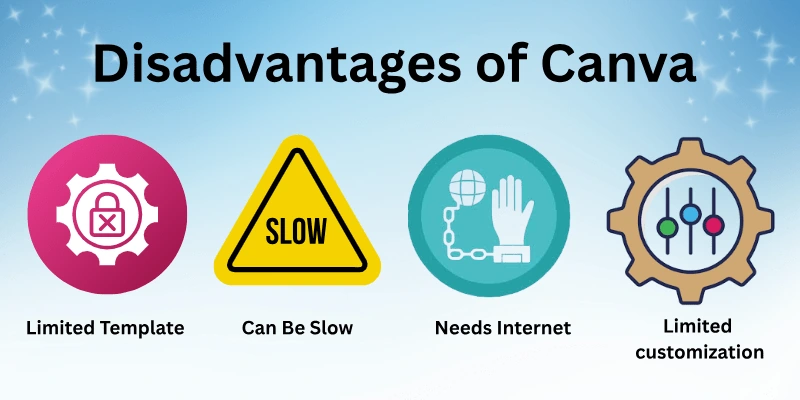
| Disadvantags of Canva |
|---|
|
So, here I have come up with a list of some main disadvantages of Canva.
|
Let’s learn about the limitations of Canva in detail.
1. Limited Template Customization
Some Canva templates cannot be fully changed. You may only adjust certain colors, text, or images. This can make it hard to create a truly unique design. Users sometimes feel limited if they want full creative freedom. Beginners may not notice this, but advanced users may find it restrictive. You have to work around some design limits to make templates fit your style. It is good for quick designs but not for fully custom projects.

2. Some Features Only in Pro
Canva Pro has tools that the free version does not. Features like background remover, premium templates, and extra images are Pro-only. Free users may feel restricted in what they can create. Businesses and professionals often need Pro to access all useful tools. Upgrading to Pro costs money, which may not suit everyone. Some designs may require Pro features for professional quality. Free users have to be creative to get similar results.
| Canva at a Glance |
|---|
|
Canva makes designing simple and fast. The free version works for most tasks, Pro unlocks advanced features. Some designs can look generic and not fully customizable |
3. Designs Can Look Generic
Because many people use Canva templates, some designs may look similar. This is especially true for popular templates. Your work may not stand out if many others use the same style. Customizing colors and fonts helps, but the base design is widely used. This can be a concern for branding or unique projects. Using original images and elements reduces this problem. You need extra effort to make designs truly unique.

4. Can Be Slow with Big Projects
Canva may lag when working on large or complex designs. Projects with many images, videos, or layers can slow down. Editing and saving may take longer than usual. This can be frustrating for professionals working on deadlines. Older devices or slow internet make it worse. Simplifying designs or breaking projects into smaller files helps. Performance is generally good for small to medium designs.
Some Canva features are only available in the Pro version. Free users may face limits on templates, fonts, and other design elements. Designs can look generic if many people use the same templates.
5. Occasional Bugs or Glitches
Like any online tool, Canva sometimes has bugs. Tools may freeze, templates may not load, or changes may not save immediately. These glitches are usually temporary and are fixed quickly. Users may need to refresh or restart the browser. Bugs can be annoying if you are on a tight schedule. Most updates improve stability, but occasional problems still appear. It’s mostly reliable, but not perfect.
Always check Canva templates before using them for commercial purposes. Some elements may have copyright restrictions, and relying only on templates can make your designs look common.
6. Needs Internet Connection
Canva works online, so it needs an internet connection. You cannot access your projects without being online. Slow or unstable internet can affect editing speed. This can be a problem when traveling or in areas with weak connections. Some features, like cloud saving, only work online. You cannot upload or download designs fully offline. Reliable internet is essential for smooth use.
Random Post:
7. No Offline Mode
Canva does not fully work offline. You cannot create or edit designs without the internet. This limits flexibility compared to offline software like Photoshop. You can plan designs, but full editing needs a connection. If you lose internet, work may pause or fail to save. Offline use is mostly impossible except for mobile caching. This can be inconvenient for users in areas with unstable internet.
Manual Post:
8. Not All Design Elements Owned
Some Canva elements are owned by Canva or third parties. Users may not have full copyright for every image, icon, or illustration. This can be a concern for commercial use or selling designs. You need to check the license before using elements commercially. Free elements often have more restrictions than Pro ones. Users must be careful to avoid legal issues. Custom images or purchased assets reduce this problem.
Auto Post:
9. Can Be Expensive for Teams
For teams, Canva Pro costs can add up. Each member needs a paid license for full features. Small businesses or schools may find this costly. The free version has limits that may not meet professional needs. Teams often need Pro for collaboration, brand kits, and storage. Budgeting is required for multiple users. It may be expensive compared to other design tools for large teams.
10. Free Fonts Have Limits
The free version of Canva has fewer font options. Some fonts are only available in Pro. This limits creative choices for designs. Certain branding or style needs may not be met with free fonts. You can upload custom fonts in Pro, but not in free. Free fonts are enough for simple projects, but may not satisfy advanced users. Font choice is a small but noticeable limitation for designers.
11. No Source File Download
Canva does not allow downloading source files like .psd or .ai. You can download images, PDFs, or videos only. This limits advanced editing in other software. Designers cannot fully edit layers or effects outside Canva. Professionals who need full control may find this restrictive. Workarounds like exporting PNGs exist but are not ideal. This is important if you want complete file flexibility.
Comprasion Table:
| Advantages of Canva |
|---|
|
So, here are some pros of Canva.
|
| Disadvantages of Canva |
|---|
|
So, here are some cons of Canav.
|
Conclusion
In this guide, we have talked about Canva and its main advantages and disadvantages. Personally, I find Canva very easy and fun to use. It helps me create good-looking designs quickly without needing much experience.
Some features are limited in the free version, but it still works well for most projects. Overall, I think Canva is a great tool for anyone who wants to design fast and look professional.
Using Canva, I’ve been able to create professional and eye-catching designs quickly. Even with no prior experience, I can make posts, presentations, and graphics that look amazing!
Table:
Here are some pros and cons of Canva.
| Pros of Canva | Cons of Canva |
|---|---|
| User-friendly Interface | Limited Template Customization |
| Extensive Template Library | Some Features Only in Pro |
| Free Version Available | Designs Can Look Generic |
| Wide Range of Design Elements | Can Be Slow with Big Projects |
| Cloud-based Storage | Occasional Bugs or Glitches |
| Collaborative Features | Needs Internet Connection |
FAQs
Here are some of the most commonly asked questions related to the pros and cons of Canva.
Benefits of canva.com:
- User-friendly interface.
- Extensive template library.
- Access to design elements.
- Cloud-based storage.
- Collaborative features.
- Options for free and paid subscriptions.
Canva has a clean and simple interface. You can drag and drop elements easily, and all tools are well organized. It also provides ready-made templates, so beginners can create designs quickly without any special skills.
What’s good about Canva:
- Simple interface.
- Extensive templates and elements.
- Collaboration features.
- Free and paid options.
Canva’s competitive advantage:
- User-friendly platform.
- Extensive library.
- Collaboration features.
- Regular updates and innovation.
Using popular Canva templates can make your designs look less unique because many other people use the same templates. Even if you change colors or text, the base layout remains the same, so your design may look similar to others.
Limitations of Canva Free:
- Restricted access to Canva Pro features.
- Limited template customization.
- Potential for generic designs.
- Internet connection required.





- Be Respectful
- Stay Relevant
- Stay Positive
- True Feedback
- Encourage Discussion
- Avoid Spamming
- No Fake News
- Don't Copy-Paste
- No Personal Attacks
- Be Respectful
- Stay Relevant
- Stay Positive
- True Feedback
- Encourage Discussion
- Avoid Spamming
- No Fake News
- Don't Copy-Paste
- No Personal Attacks
